
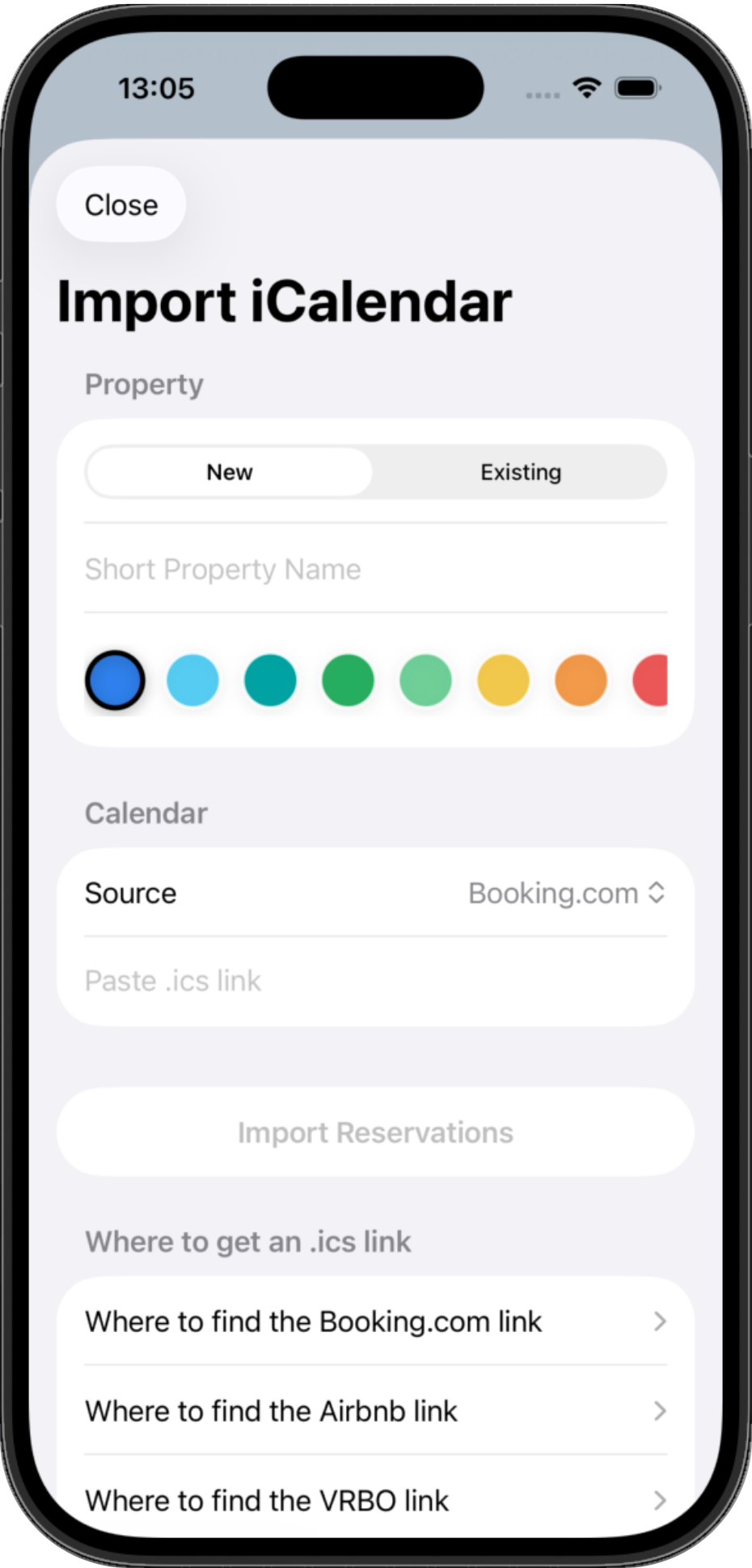
Airbnb and Booking.com imports
Paste iCal links, connect each property, and bring external reservations into one view.
For independent short-term rental hosts
Manage Airbnb and Booking.com reservations, cleanings, keys, expenses, and multiple properties from one simple app built for independent hosts.
More than a calendar. Less than a complicated PMS.
Built for real host operations
Host Calendar is for hosts who have outgrown spreadsheets, WhatsApp threads, and checking several booking apps every morning, but do not need a heavy property-management system.
Calendar
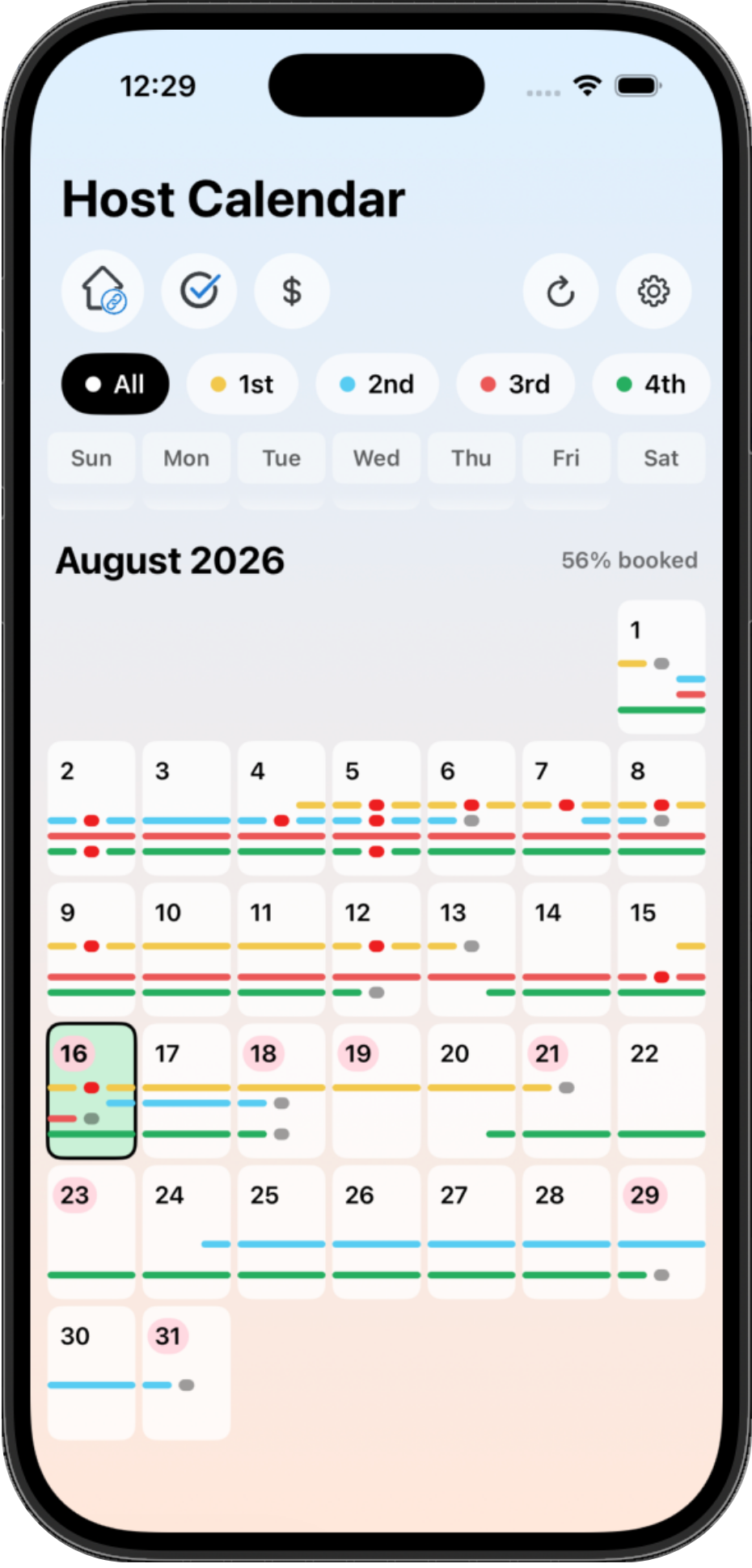
Import iCalendar feeds from supported booking platforms, add direct reservations manually, and see what each property needs today.
Paste iCal links, connect each property, and bring external reservations into one view.
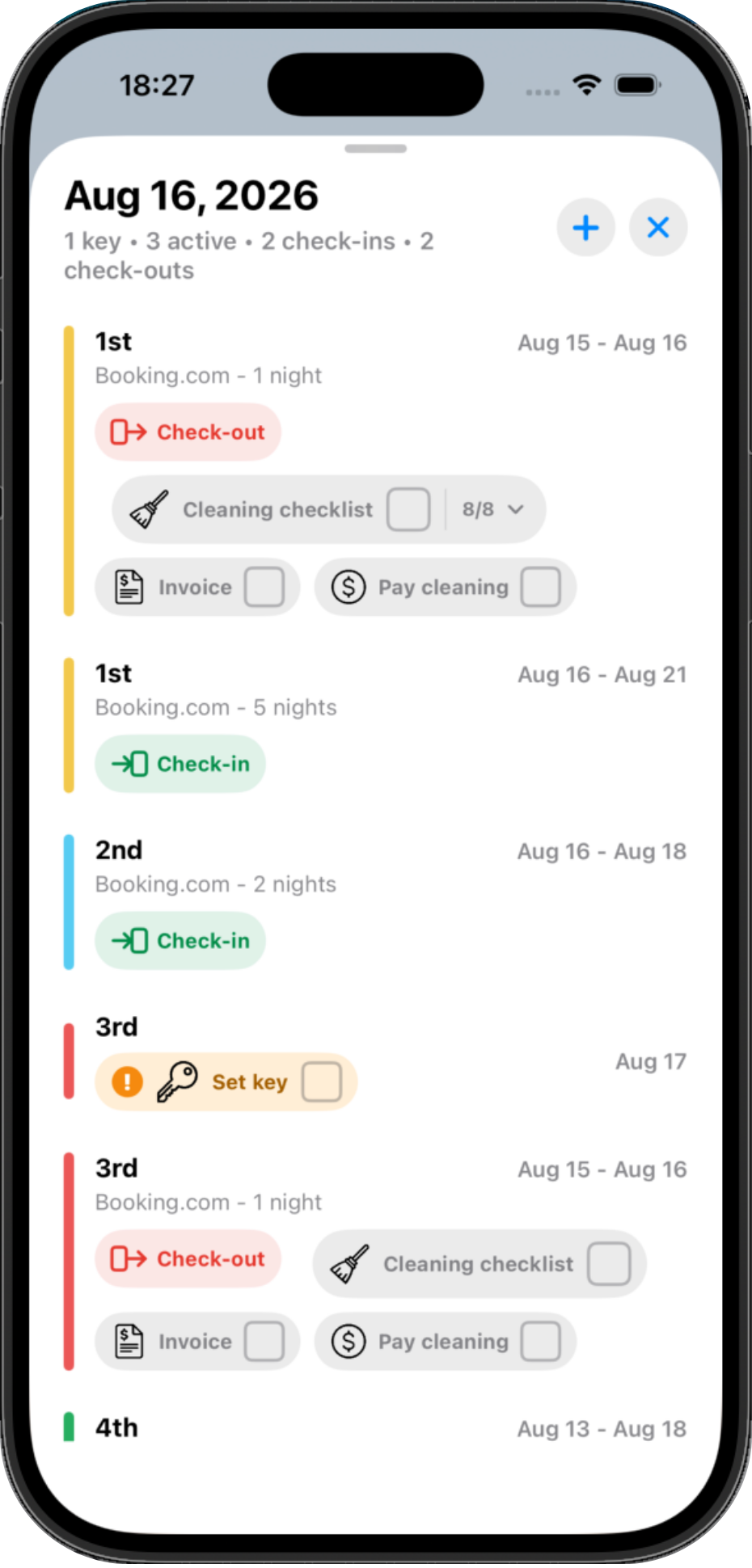
Spot check-outs, check-ins, cleaning days, and tight turnovers without scanning every booking app.
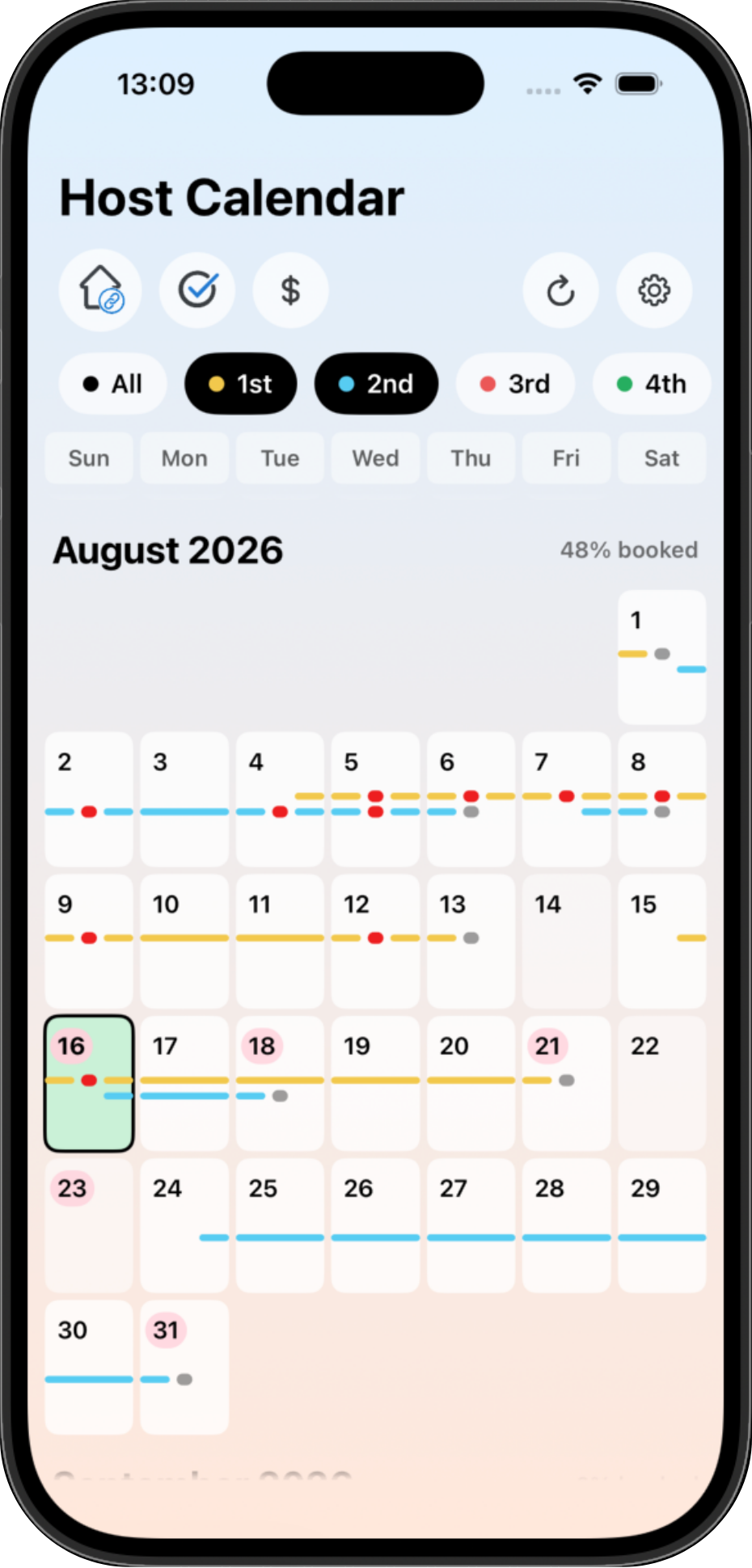
Filter by property, review imported reservations, and keep direct/manual blocks alongside OTA bookings.
Host Calendar uses iCal/ICS calendar feeds where supported. Feed refresh timing depends on each platform, so it should not be described as real-time API synchronization or a certified channel manager.
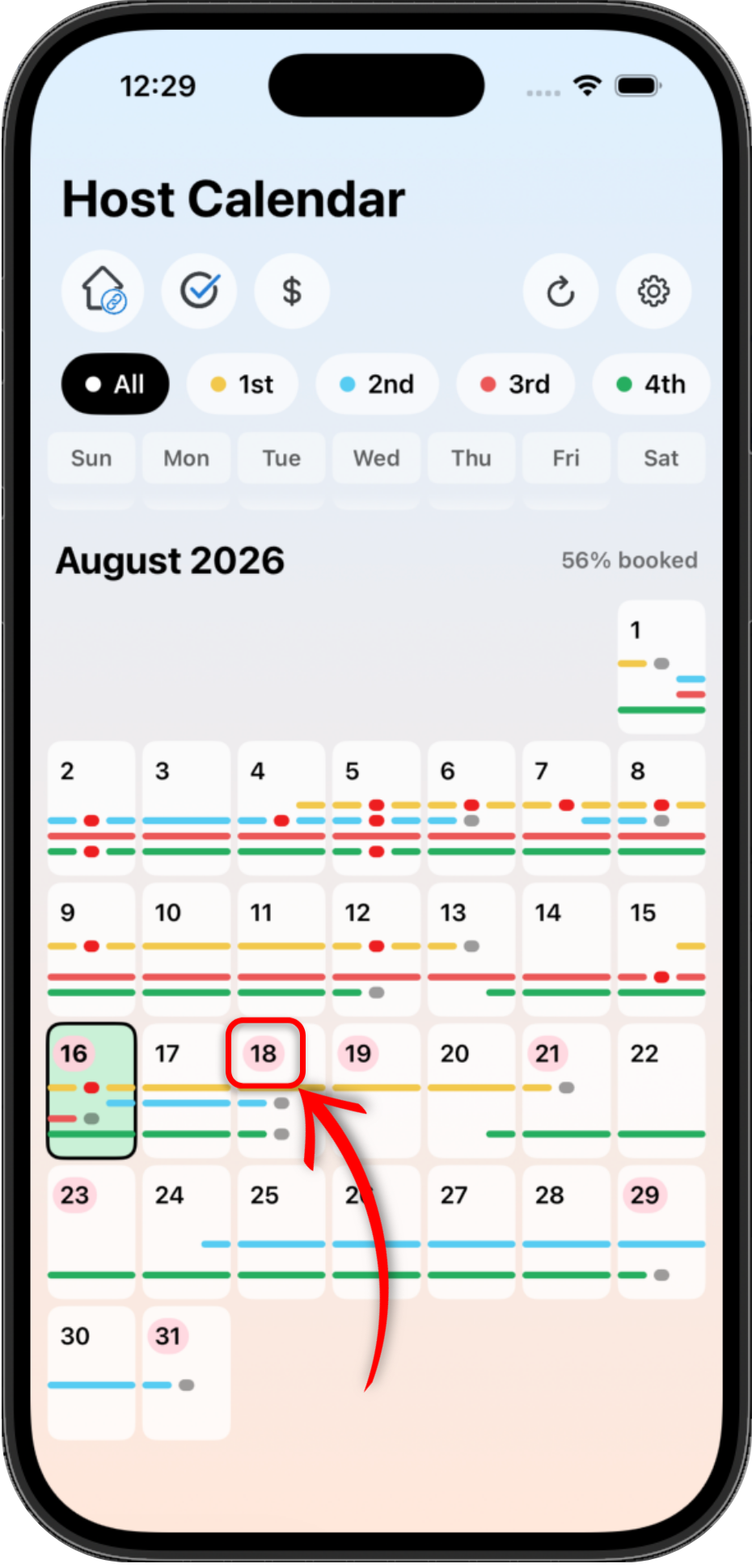
Tasks
Red marks show dates with unfinished tasks, so it is clear when something needs your attention.
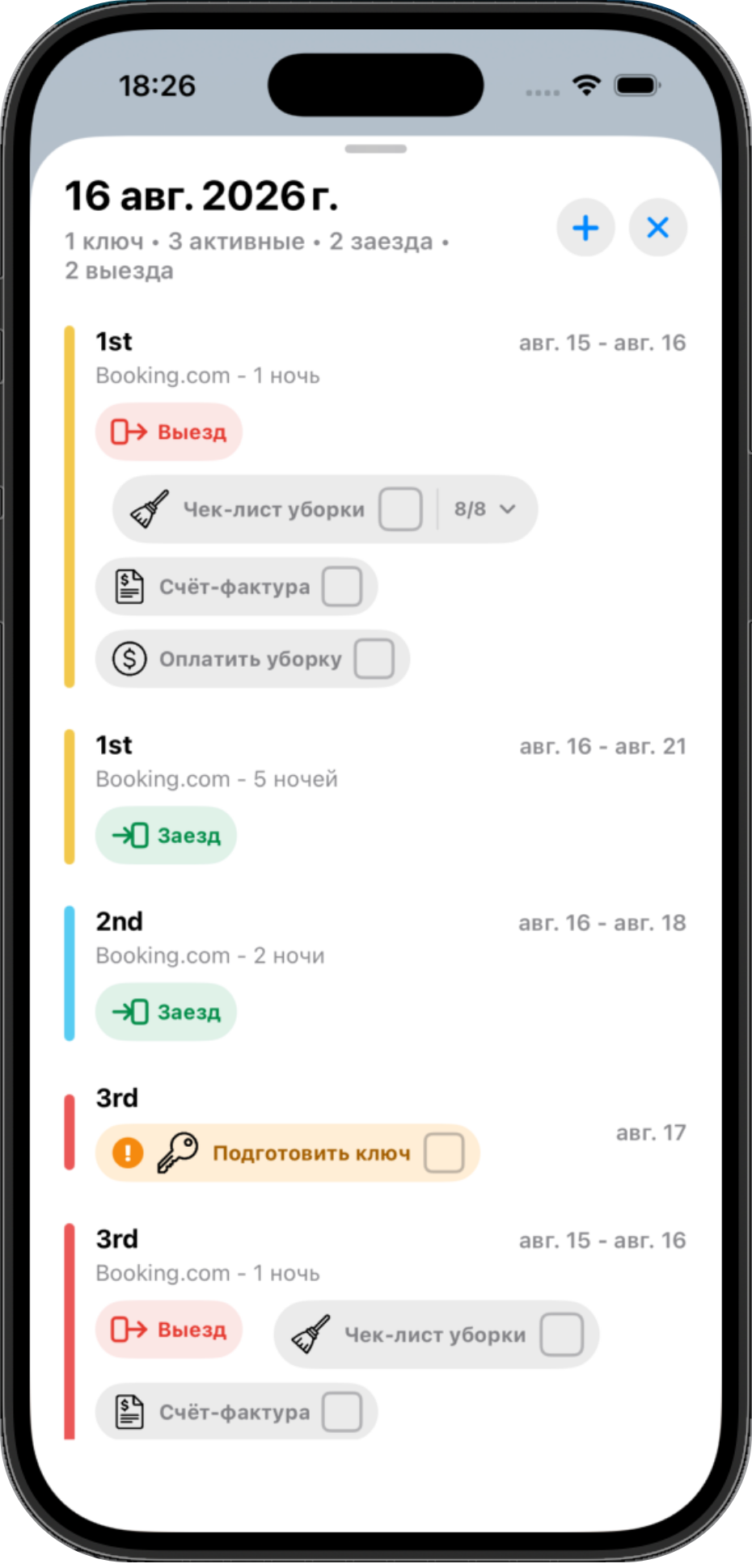
Prepare a key for the next guest, check the cleaning checklist, pay for cleaning, issue an invoice, or complete your own task - everything is grouped by property and date in one place.
Cleaning
Give cleaners an operational view focused on the work: check-out days, assigned properties, cleaning tasks, and checklist items.
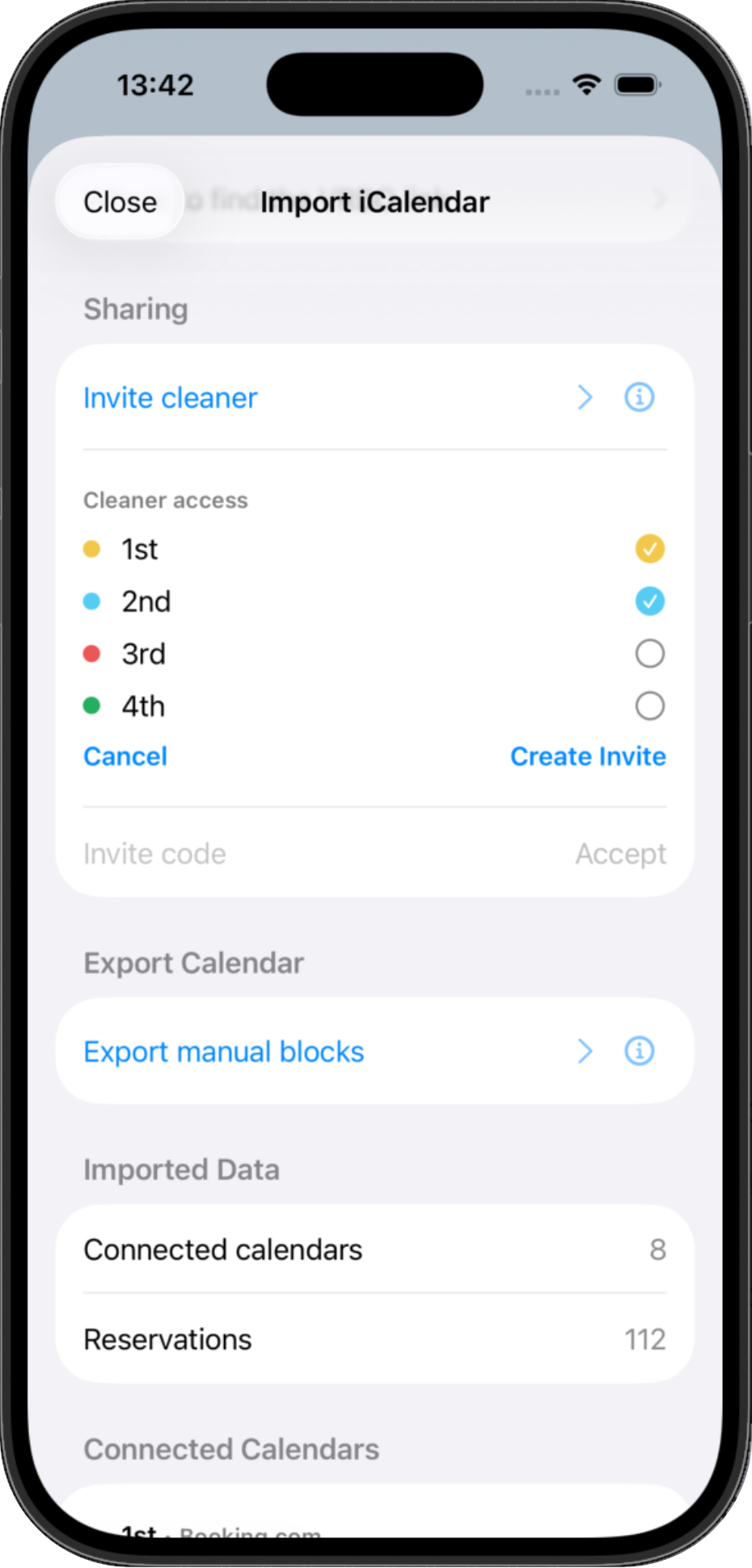
Invite a cleaner and give access only to selected properties. Everything else stays hidden.
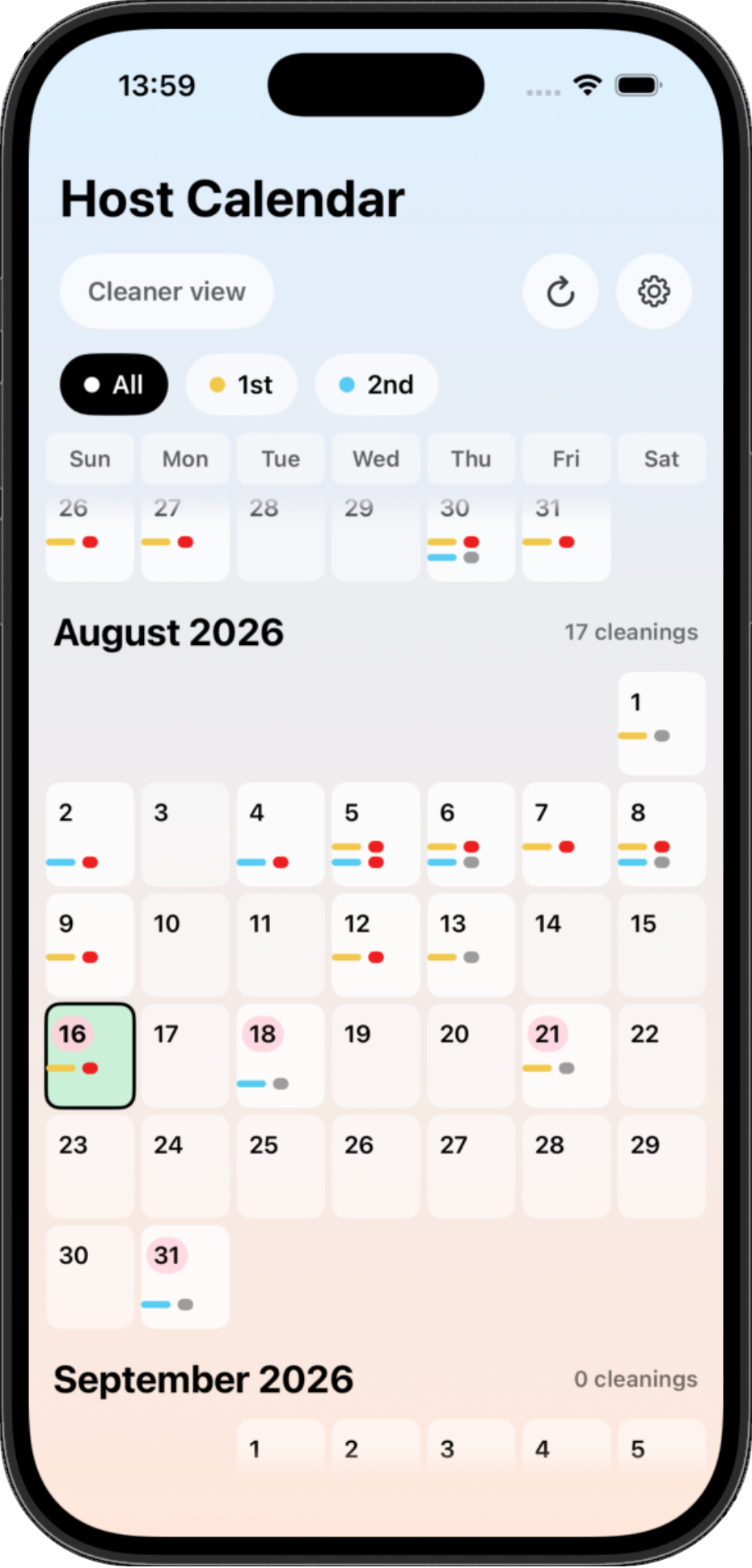
Cleaners see only cleaning days for the properties you share with them. Reservation length and other data stay hidden.
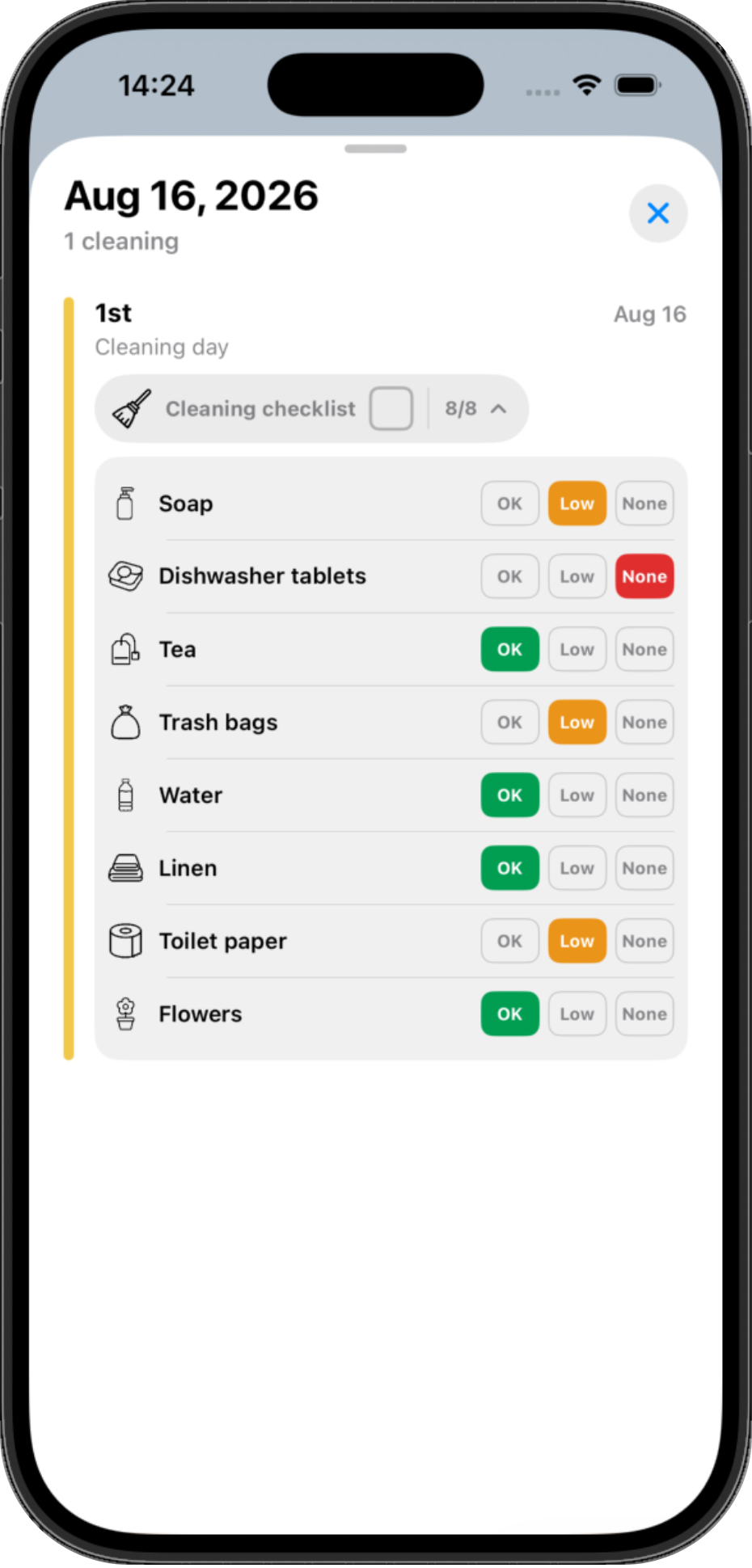
During cleaning, the cleaner marks supply status: OK, low, or none. You see that information in real time.
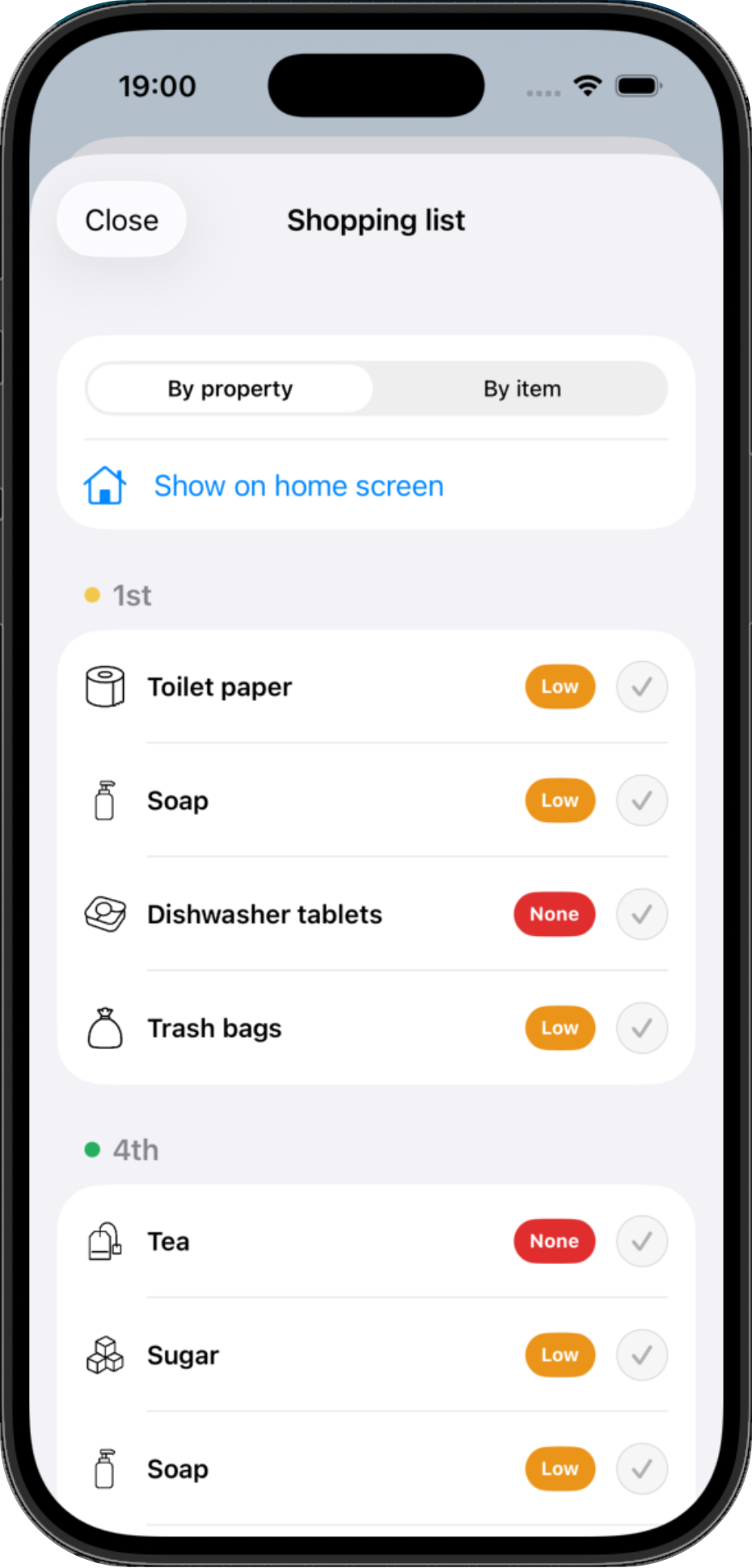
Shopping
Everything a cleaner marks as Low or None is automatically added to the shared shopping list.
Group the list by property or by item. Bought something you needed? Mark it done and it disappears from the list.
Access
Invite co-owners and cleaners, then choose which properties they can access. Co-owners can fully manage selected properties, while cleaners see only check-out days and cleaning checklists.
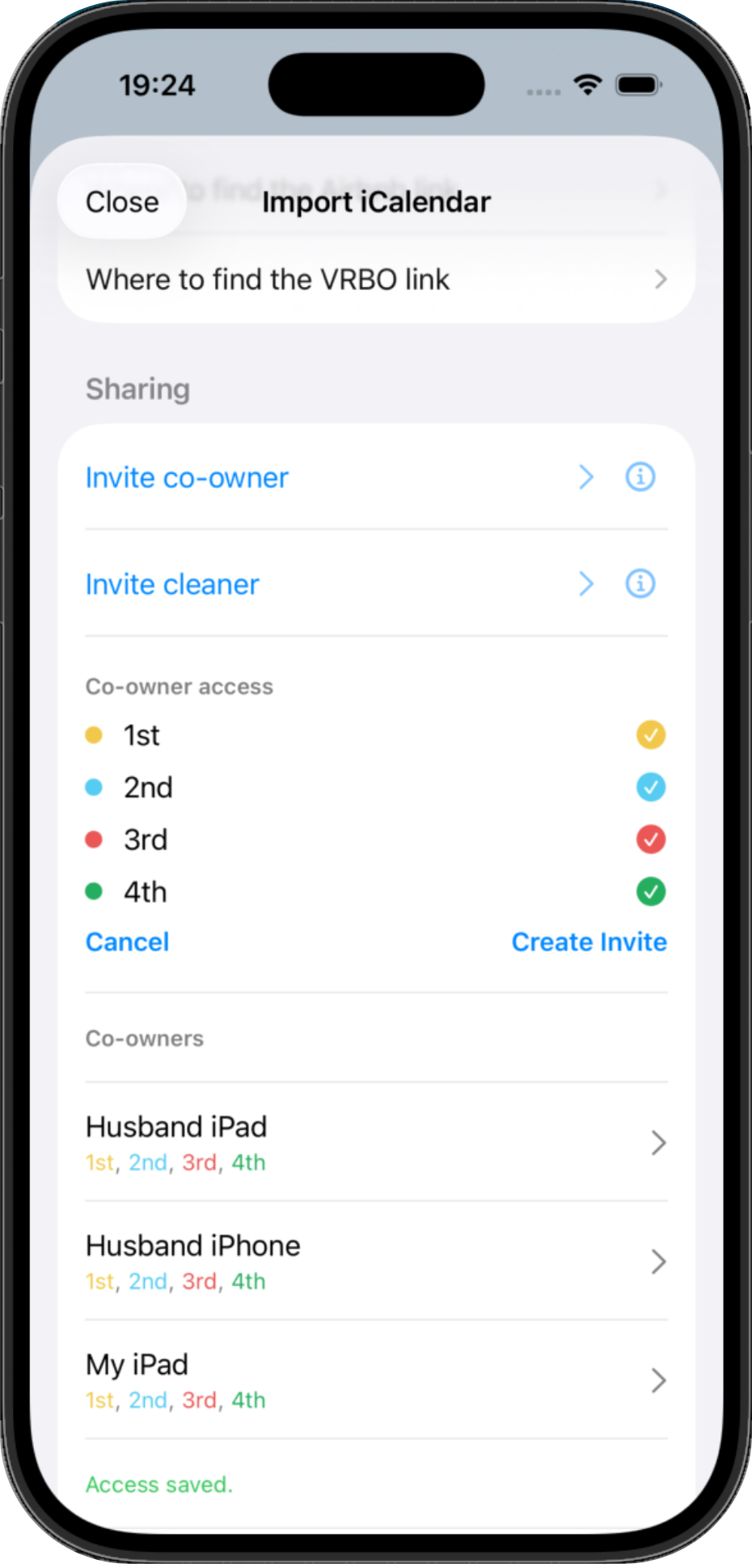
One subscription covers your whole team. Every user does not need a separate subscription.
Finances
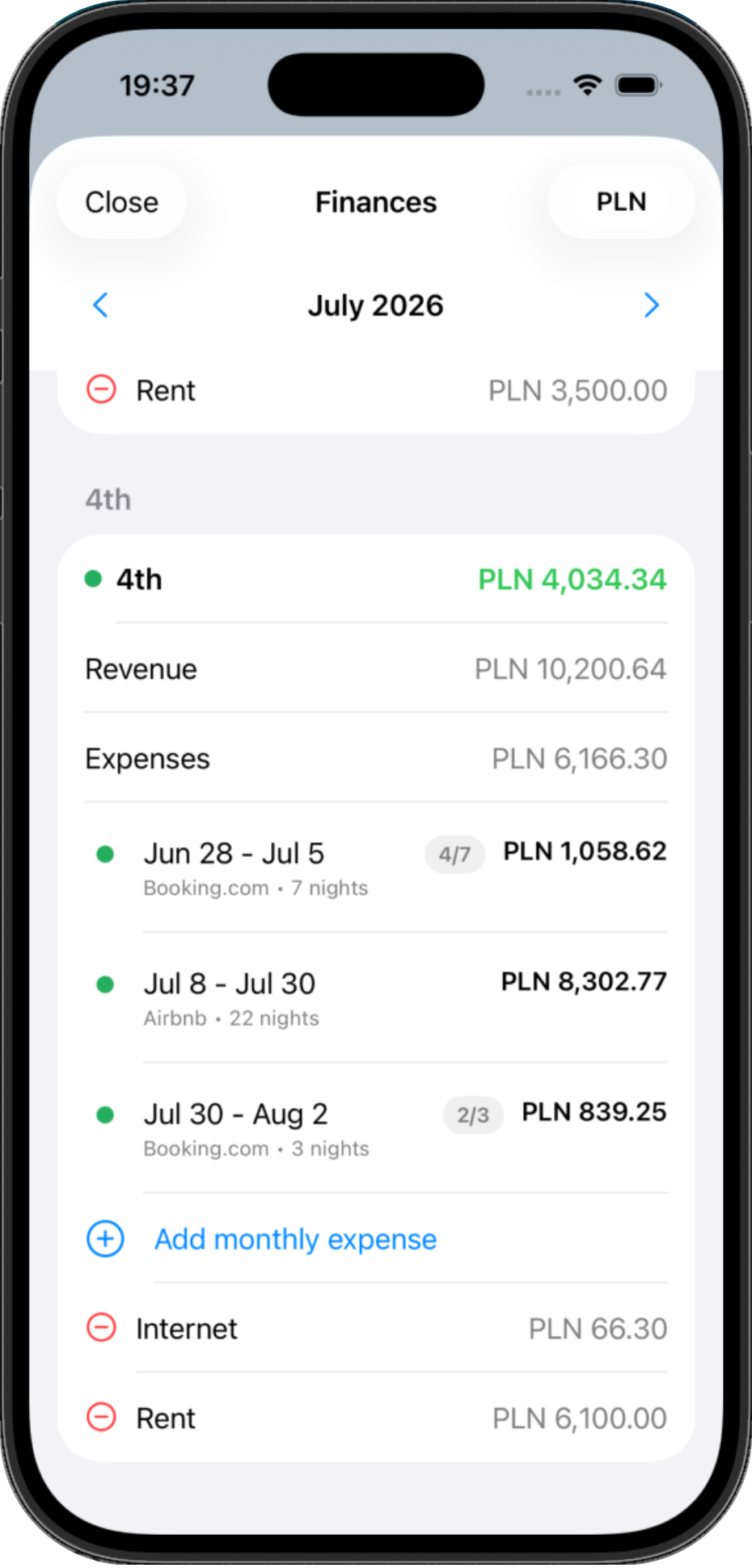
Add booking prices and expenses to see the financial result for each property and each month.
Founding Hosts
Become one of the first Host Calendar users and get unlimited access to all app features without a subscription.
The offer is limited to the first 100 hosts. To activate free access, install the app and add at least one real property.
After activation, you can manage up to 10 properties for free, with no time limit.
In return, I only ask one thing: share your opinion about Host Calendar. Any feedback, positive or critical, will help make the app better.
Built by a host, for hosts
Host Calendar grew from real short-term rental hosting work: keeping reservations visible, making cleanings easier to coordinate, tracking keys and supplies, and understanding basic property finances without adding enterprise PMS complexity.
FAQ
No. Host Calendar organizes operational information around your properties. Guests still book through the platforms you use.
Host Calendar imports iCal/ICS feeds from supported booking platforms and can also export manual blocks where supported.
No. iCal feed refresh timing depends on the connected platforms. Host Calendar should not be treated as real-time API synchronization.
Cleaner access is designed for operational information such as check-out days and cleaning checklists, not revenue data.
Yes. Host Calendar supports multiple properties, property filtering, co-owner access, cleaners, reservations, tasks, checklists, and expenses.
Yes. Host Calendar is available for iPhone and Android through the App Store and Google Play.
Host Calendar is mobile-first today. A web version is planned and will work as a full web app in the future.